Logistics: Difference between revisions

From PRS
Jump to navigation Jump to search
Created page with "{| class="wikitable" width="40%" cellpadding="8" |- ! Version | {{{version|Not specified}}} |} = Overview = {{{summary|No summary provided.}}} {| class="wikitable" width="100%" cellpadding="8" |- ! See Also | {{{See Also| * Ready to Go * Rack List * Picking Lists * Deliveries * Delivered On Site * Incoming Consignments }}}"
 
No edit summary
 
(One intermediate revision by the same user not shown)
Line 8: Line 8:
= Overview =
= Overview =
{{{summary|No summary provided.}}}
= Showcase =
{{#ask: [[Category:Logistics]]
|?Has title
|?Has caption
|titleproperty=Has title
|captionproperty=Has caption
|format=carousel
|limit=10
|height=800px
|slick-dots=1
|slick-autoplay=0
}}


{| class="wikitable" width="100%" cellpadding="8"

Latest revision as of 05:20, 2 April 2026

Version Not specified

Overview[edit | edit source]

No summary provided.

Showcase[edit | edit source]

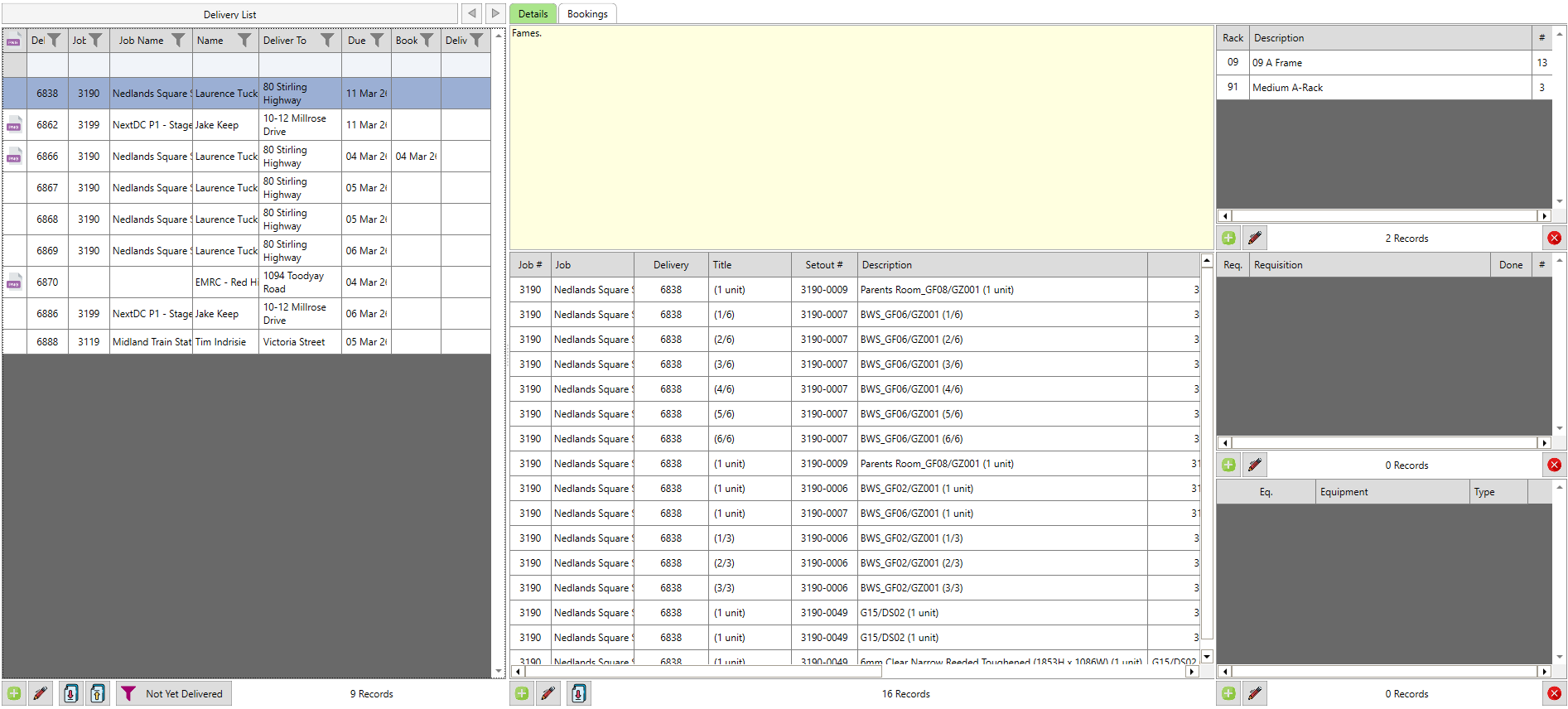
Planned deliveries on left with racks (of glass), picking list items, and equipment, all showed in the centre panel
Deliveries
Planned deliveries on left with racks (of glass), picking list items, and equipment, all showed in the centre panel
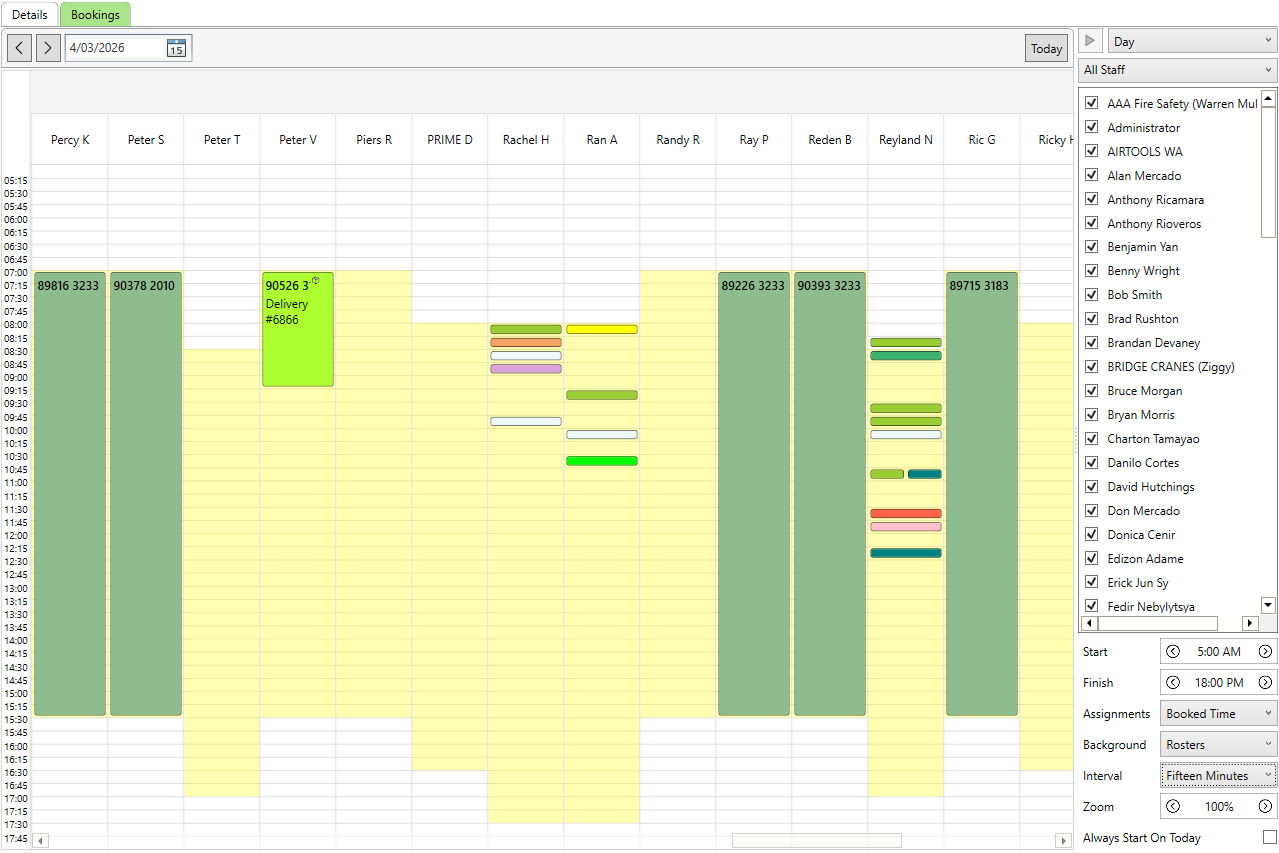
Visual indicator of staff plans - including deliveries booked
Deliveries - Bookings
Visual indicator of staff plans - including deliveries booked
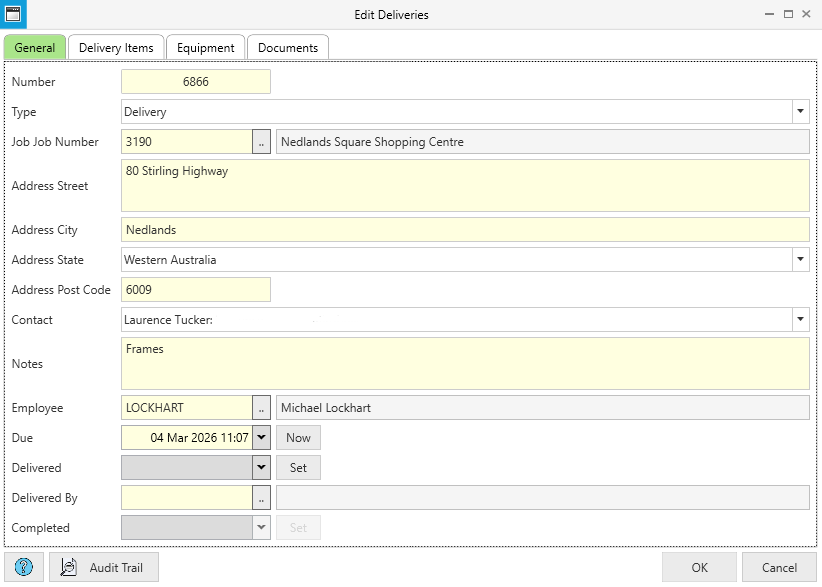
Basic information is visible/editable when double clicking a delivery entry, as seen here
Deliveries - General Info
Basic information is visible/editable when double clicking a delivery entry, as seen here
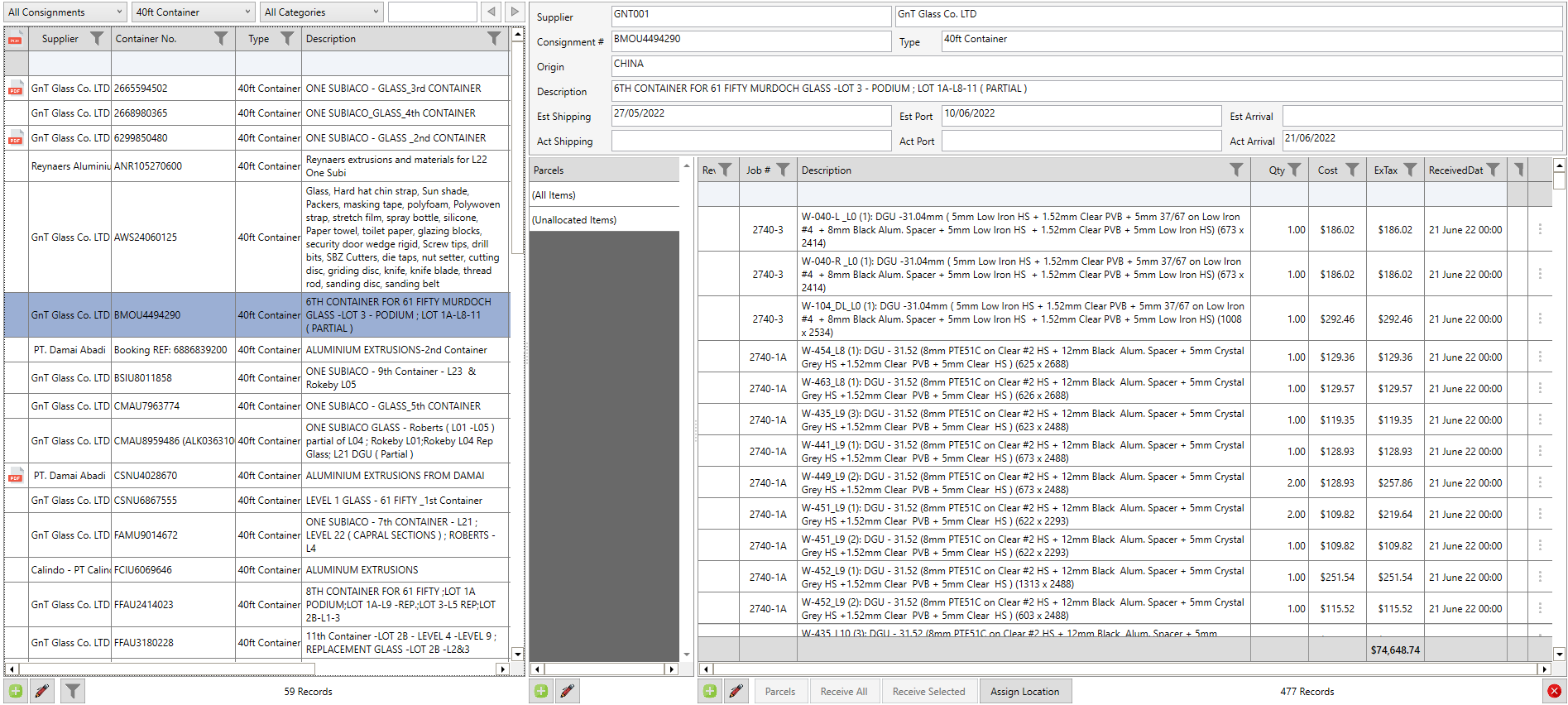
Any off-shore containers of product supplies are tracked along with every item as they pertain to the relevant purchase order/s and documents
Incoming Consignments
Any off-shore containers of product supplies are tracked along with every item as they pertain to the relevant purchase order/s and documents
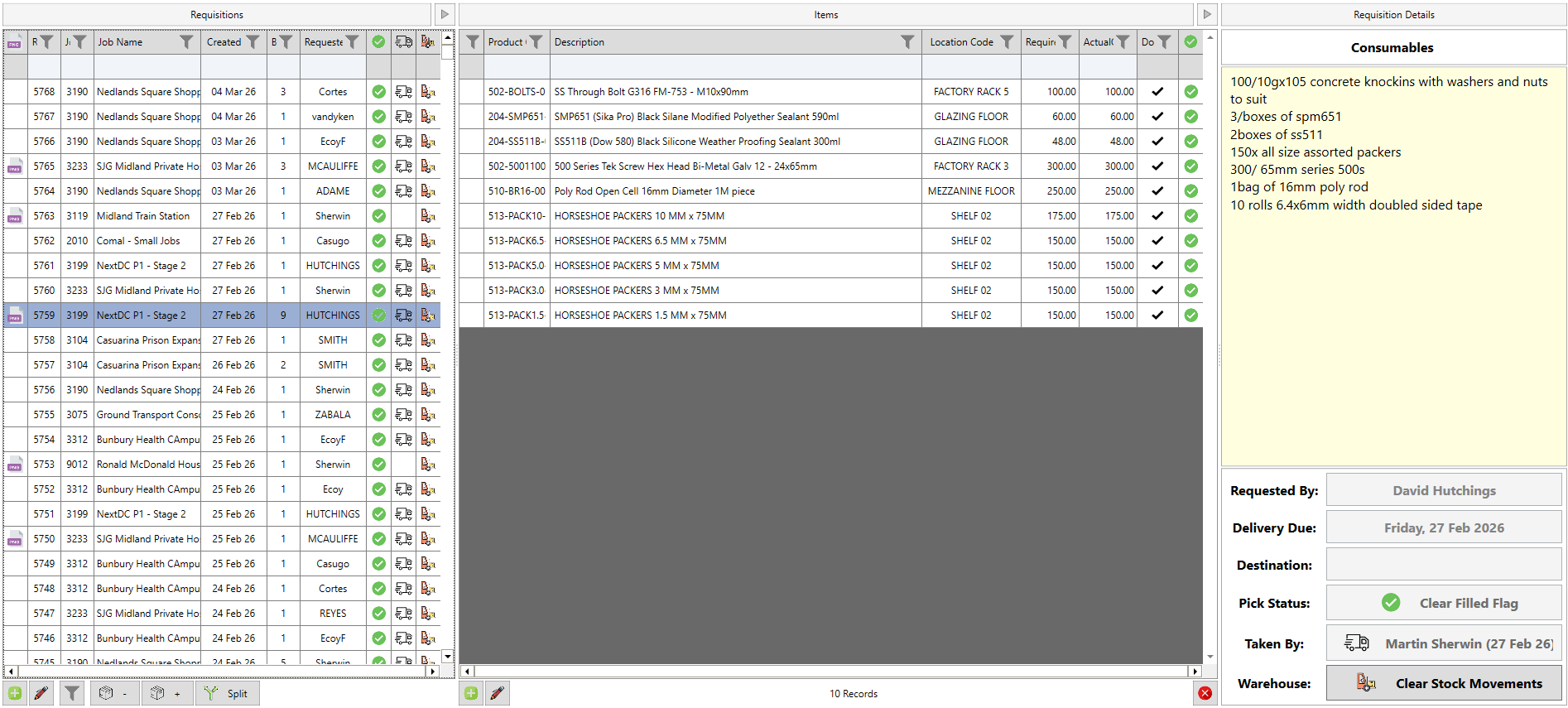
Picking list items are stored on the left, the relevant notes on the right, and the item/s, once picked, in the middle panel
Picking Lists
Picking list items are stored on the left, the relevant notes on the right, and the item/s, once picked, in the middle panel
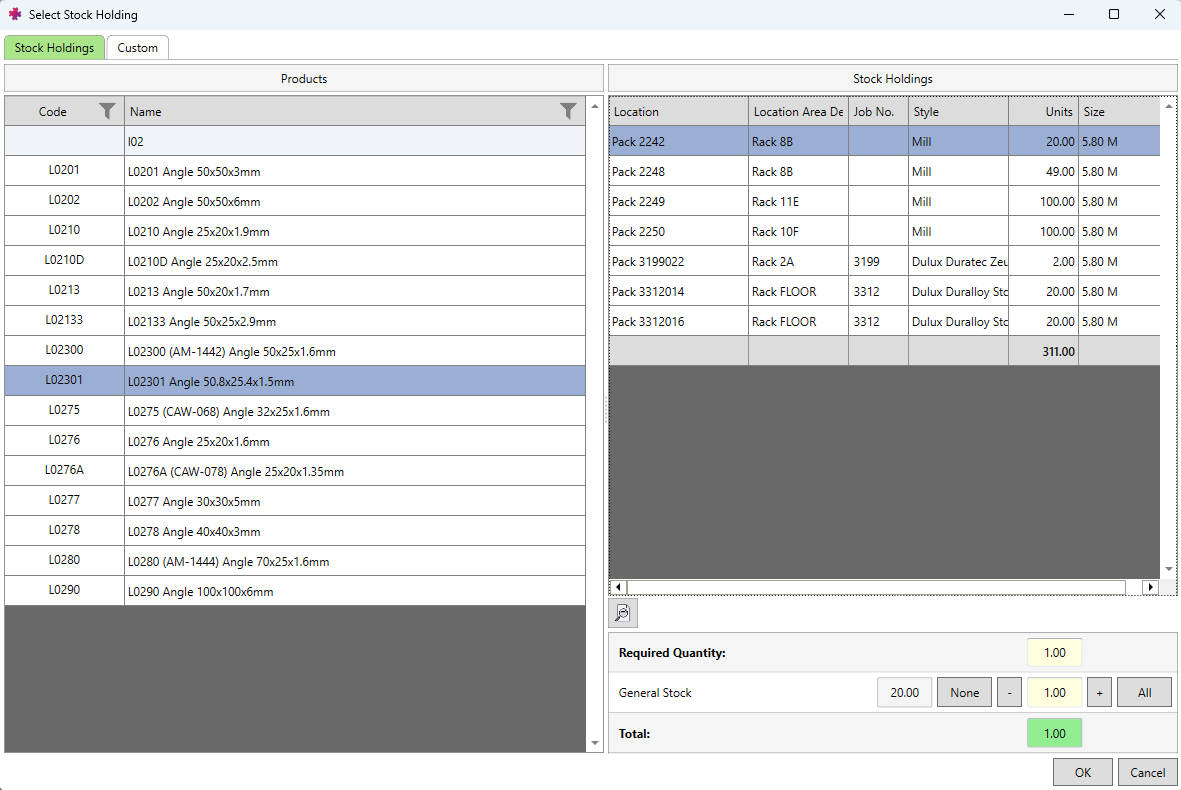
Items are picked either from job-allocated stock or stock - once the correct product is located using the left panel, you can select exactly where you pull it from on the right
Picking Lists - Picking Items
Items are picked either from job-allocated stock or stock - once the correct product is located using the left panel, you can select exactly where you pull it from on the right
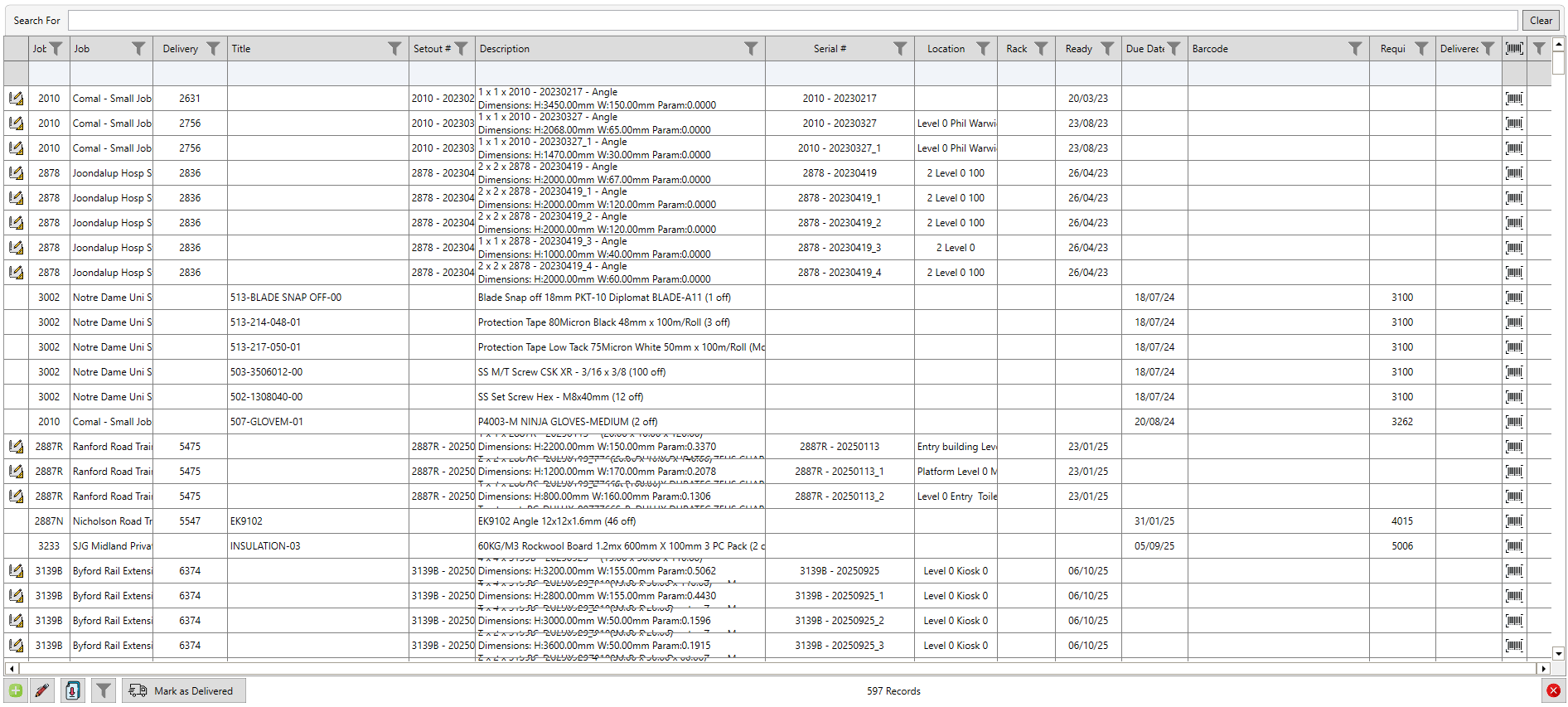
Any packets on racks, picking list items, or equipment populates the Ready To Go table - all seen and filterable here for an overview
Ready To Go
Any packets on racks, picking list items, or equipment populates the Ready To Go table - all seen and filterable here for an overview
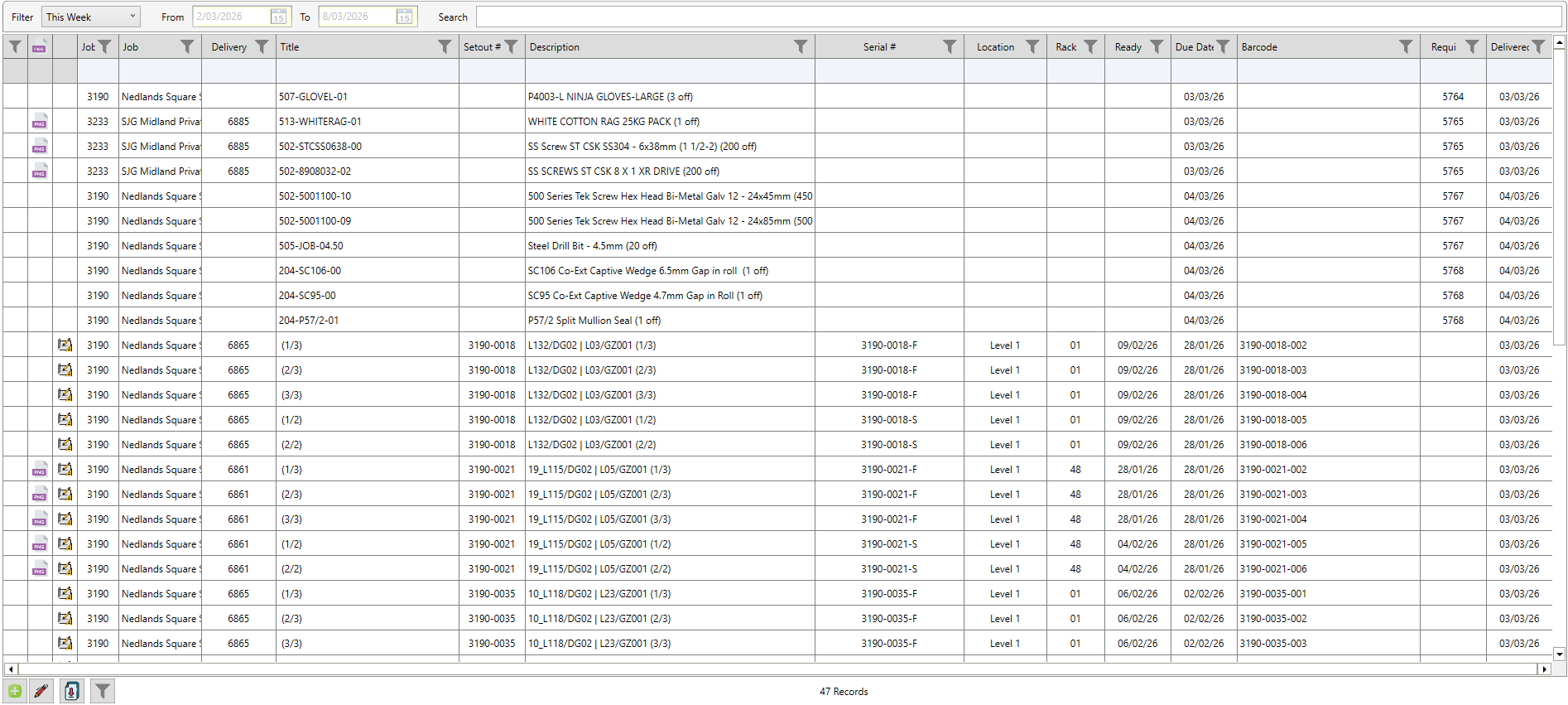
All items which have been marked 'delivered' on either the mobile app or on the desktop, will appear in the Delivered On Site table
Delivered On Site
All items which have been marked 'delivered' on either the mobile app or on the desktop, will appear in the Delivered On Site table
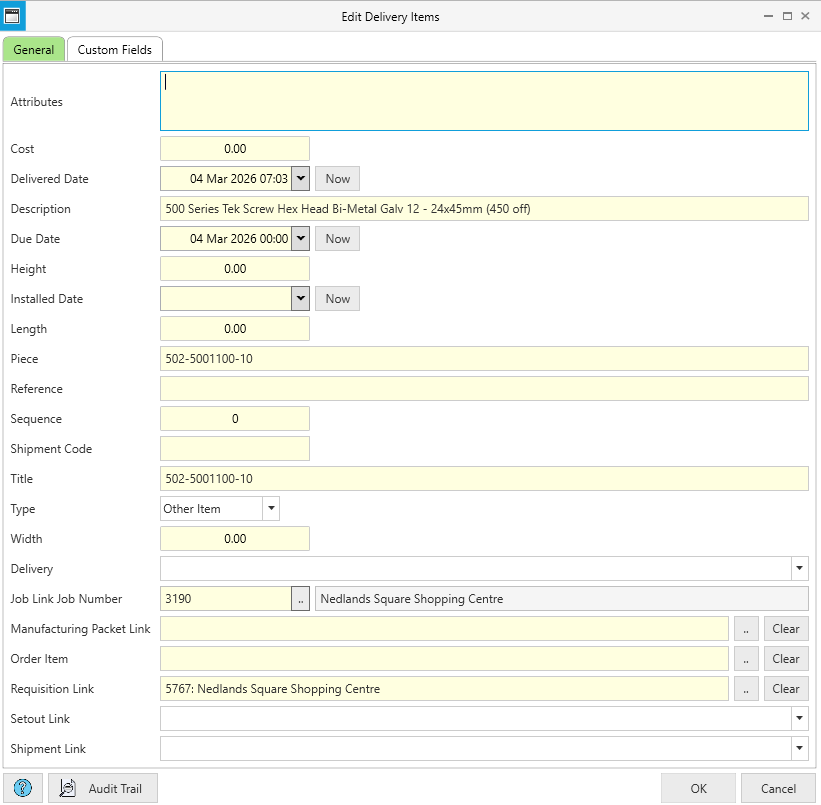
Items delivered on site can be double clicked within the table to see further details for that item
Delivered On Site - Details
Items delivered on site can be double clicked within the table to see further details for that item
See Also