Issuing Stock
Overview
There are two main ways to issue stock on PRS:
- Issue stock directly from a stock location
- Issue via Requisitions (AKA picking lists)
Issuing from a stock location
Desktop
- Navigate to Product Management → Stock Locations
- Choose a stock location to issue items from. The current holdings (stock) is displayed on the right hand side of the screen

- Select a holding to issue from → click the red Issue button

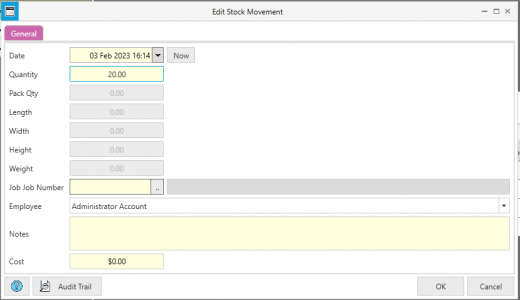
- Fill in details such as Quantity, Employee, Job and Notes as required and press OK. The transaction will now be reflected in Stock Movements